


Hey there 👋,
Welcome back to The Observable Job Agent, and welcome to the last part (or is it?)
Over the first three parts we built a job hunting agent. You give it your CV, it searches real job sites, ranks the openings against your actual experience, and writes a tailored CV and cover letter for the one you pick. Everything it does is traced, and every claim it writes is checked against your real experience before you see it.
For a good learning journey, follow all these paths where you can learn step by step how to build your custom AI agent for job application and then convert it into a voice agent.


This part takes you off both. We are giving it a voice.
Say “find me jobs” and it starts a real search. It tells you it has started, then goes quiet while the search runs, then breaks the silence itself to tell you what it found. Say “tailor an application for the second one” and a minute later the finished pack is on screen while it reads you the highlights.
This post is a build guide. The first half shows you exactly what you are building and what it is made of. The second half is the step by step: every account you need, every key and the scopes it must have, every command, and every screen you will see along the way.
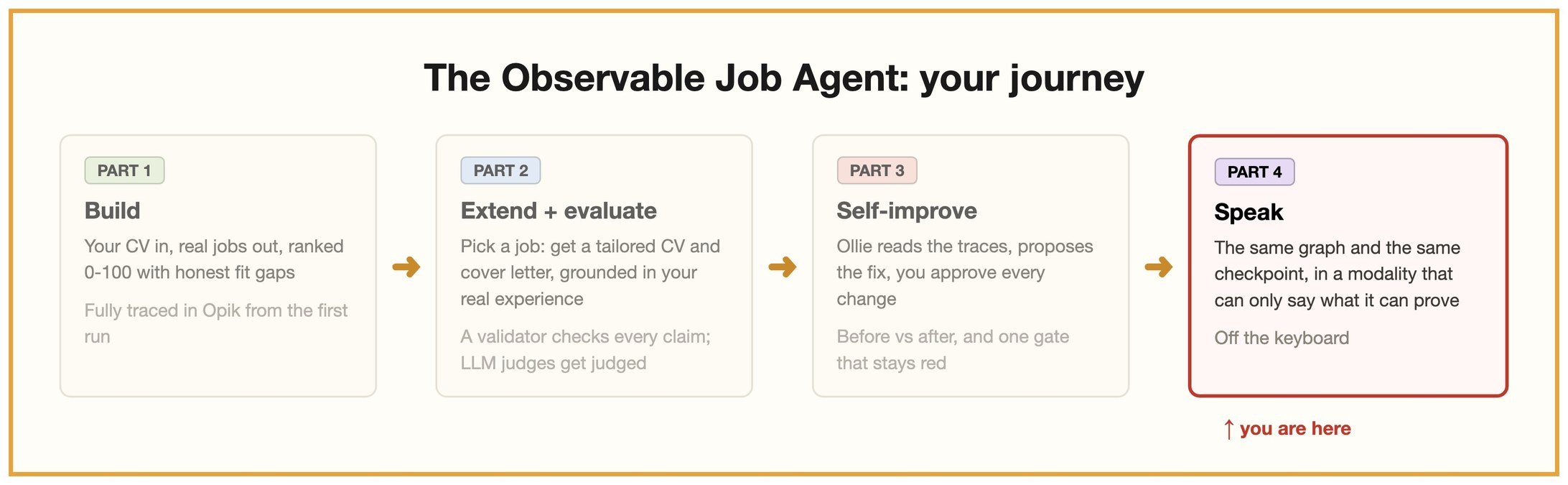
Four parts. You are at the last one.
Opik (free account, for LLMOps): https://www.comet.com/signup
ElevenLabs (free tier): https://elevenlabs.io
What you are building
This is Jobvis. One orb, three panels, and a microphone.
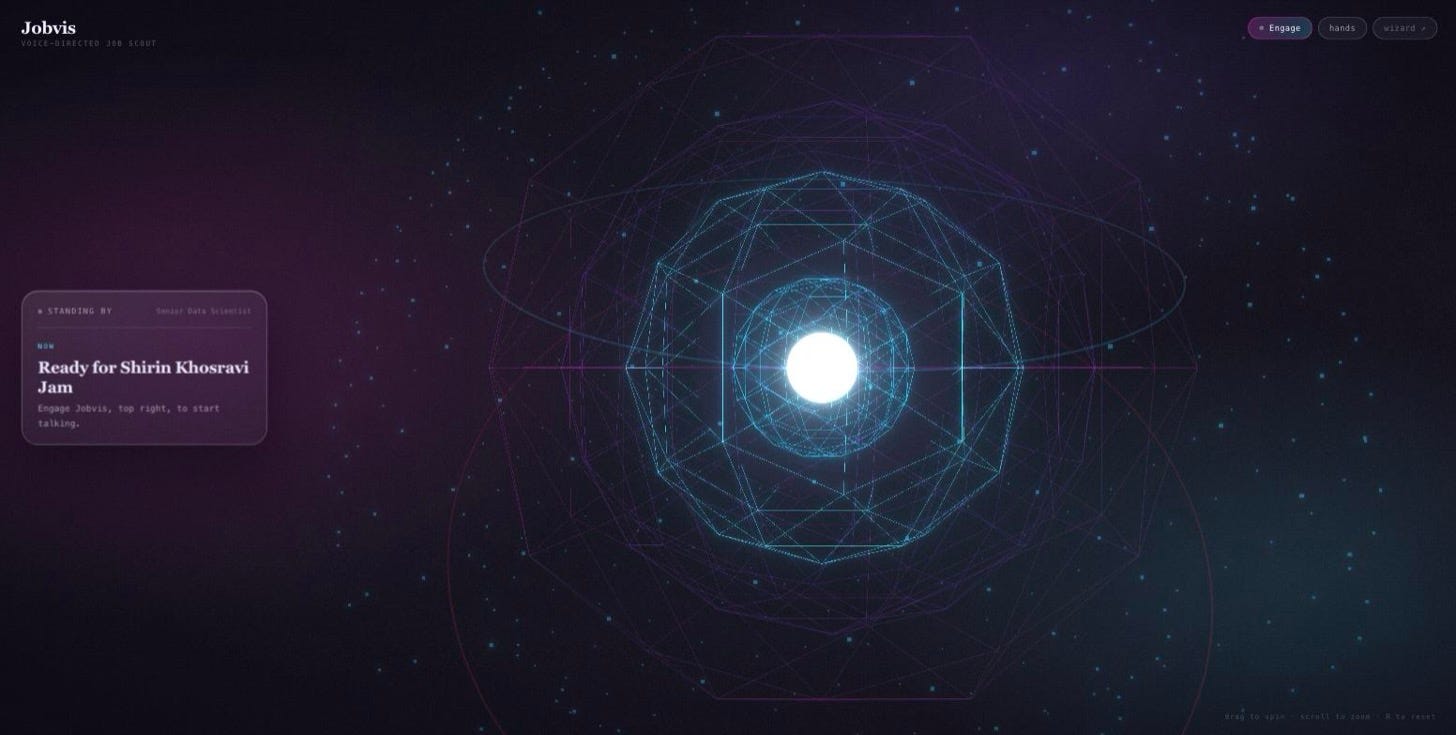
The console at rest. Everything on the left came from your last session, before you say a word.
The orb is not decoration, it is the state indicator. It sits still when Jobvis is listening, swells when he speaks, and reacts to the actual audio spectrum sixty times a second rather than to a timer. You can drag to spin it and scroll to zoom.
Everything else on the page is the result of a real run: your top matches with fit scores, and the finished application with its honesty verdict.
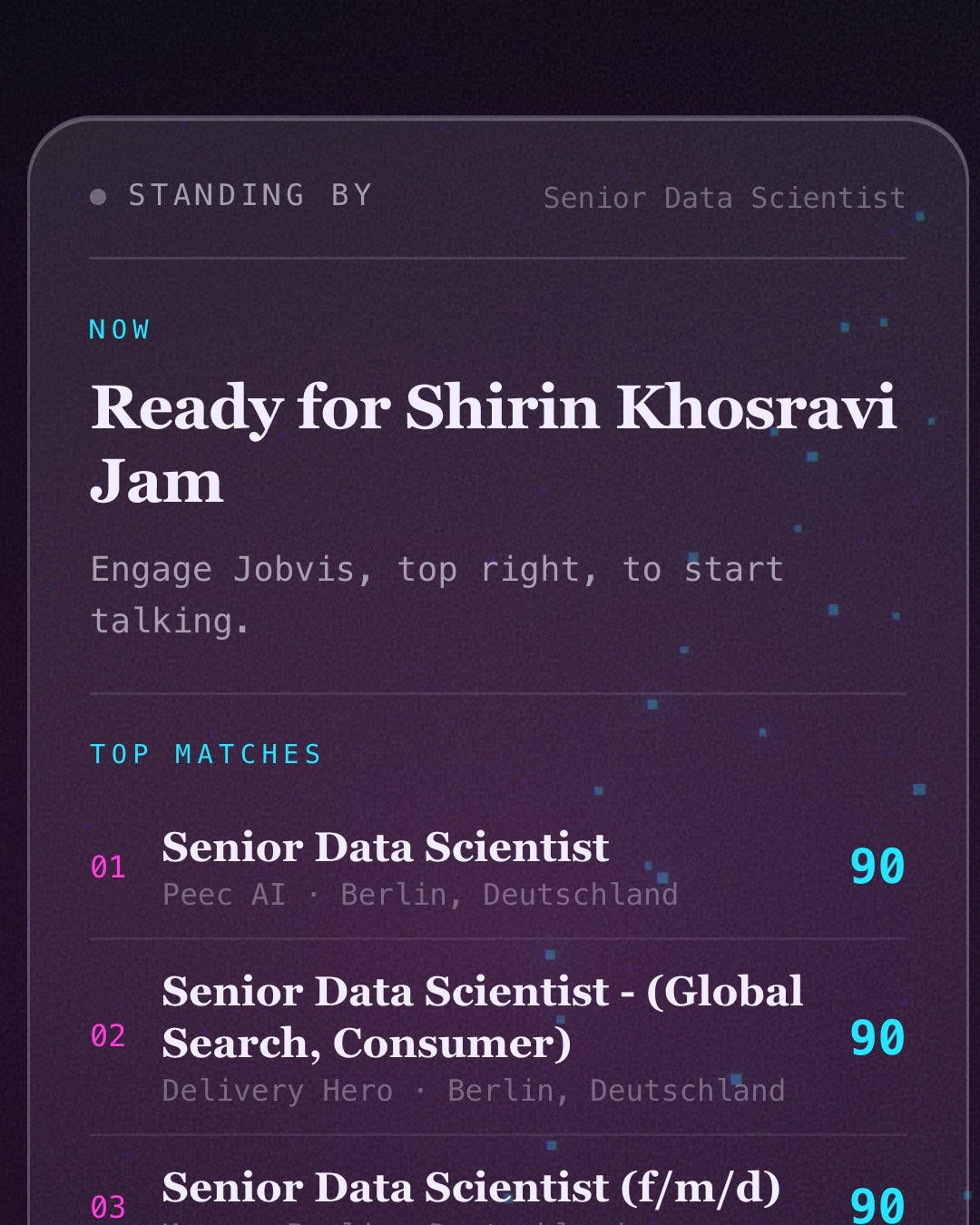
Top matches, straight from the last search. Three Berlin roles at ninety.
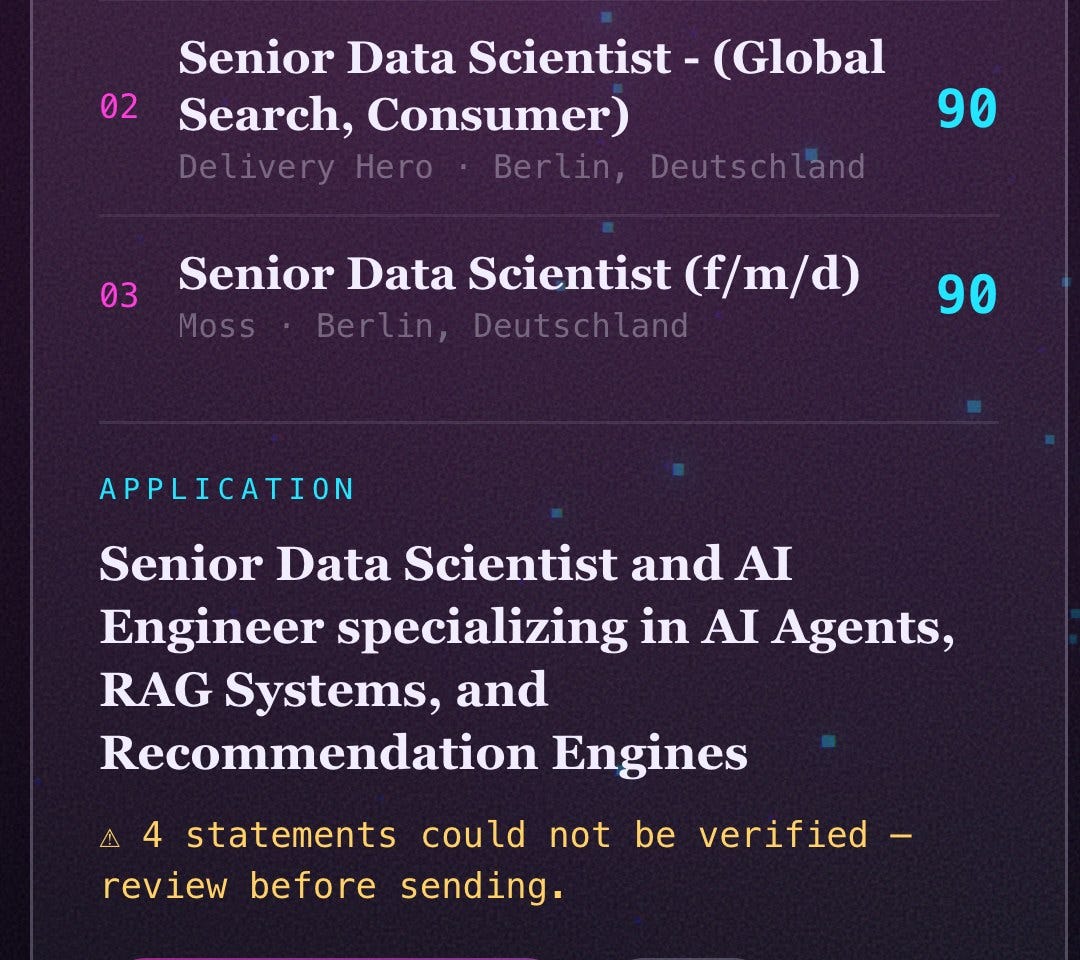
The finished application, with the fabrication check stated rather than buried. Four unverified statements is a number Jobvis will read out loud if you ask him to.
What it is made of
Six pieces, and only one of them is new to this part.
The graph is the same LangGraph agent from parts one to three, unchanged. Search, rank, tailor, validate. The voice does not get its own private path through the app; it starts exactly the same runs the buttons do.
The checkpoint is where everything Jobvis is allowed to say lives. Fit scores, matched skills, gaps, the tailored pack, the fabrication verdict.
FastAPI (api.py) sits in front of it. It mints short-lived voice tokens, dispatches tool calls, streams events to the browser, and serves the console itself.
The bridge (voice/bridge.py) holds the active session and the run manager, and hands each listening surface its own event feed.
ElevenLabs Agents does speech recognition, turn-taking, the conversational LLM and speech synthesis. This runs on their servers, not yours.
The console (web/) is a Next.js page with a Three.js orb. It holds the WebRTC conversation and forwards every question to Python.
The important part is the line between the last two and everything above them:
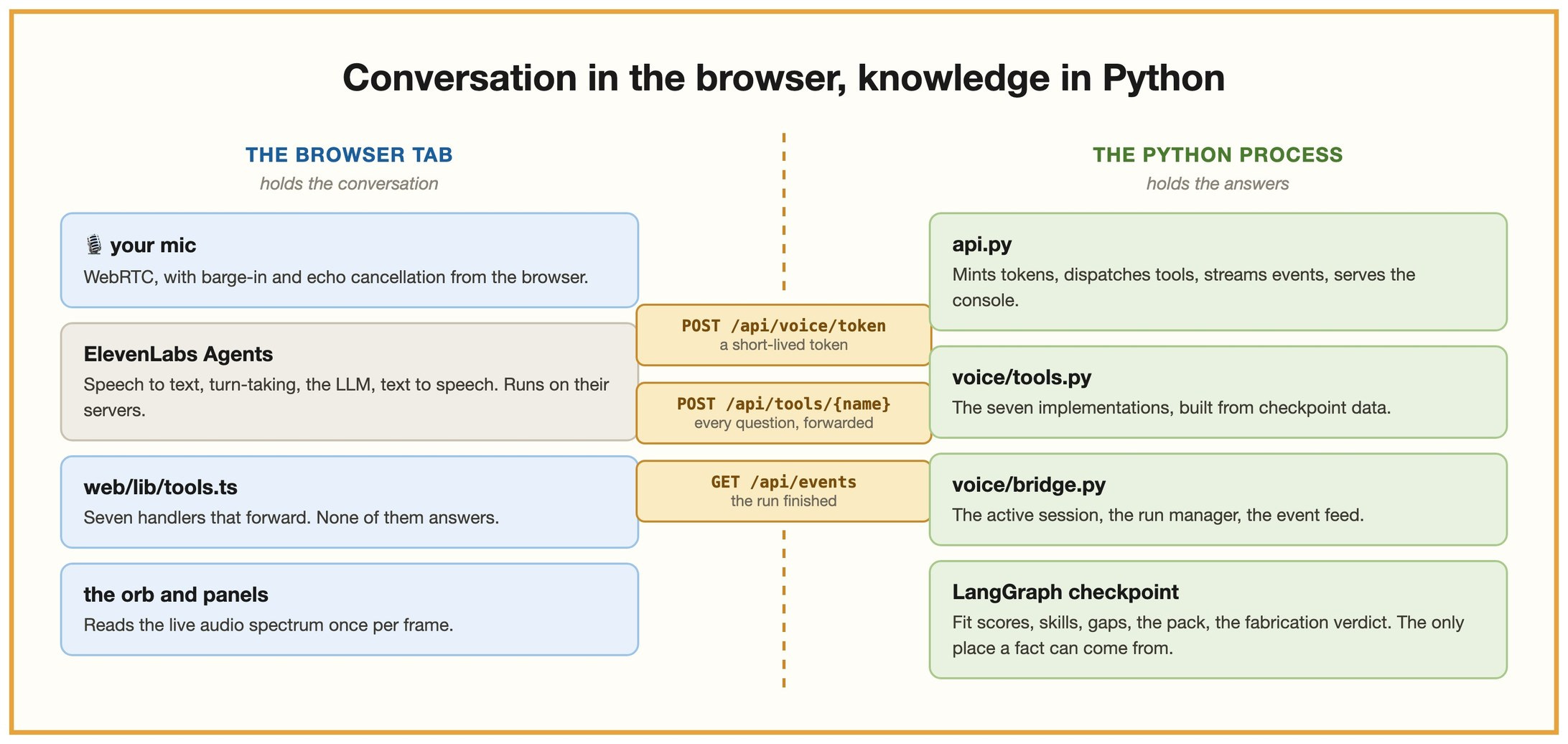
The browser holds the conversation. Python holds everything the conversation is allowed to claim.
The browser never answers a question. It forwards. When Jobvis needs your top jobs, the tab POSTs to /api/tools/get_top_jobs and Python reads the checkpoint. That is why your ElevenLabs key never leaves the server, and why Jobvis cannot invent a fit score even if he wants to. There is nowhere for him to get one from.
Seven tools work this way. They are declared in voice/persona.py, implemented in voice/tools.py, and registered under the same names in web/lib/tools.ts.
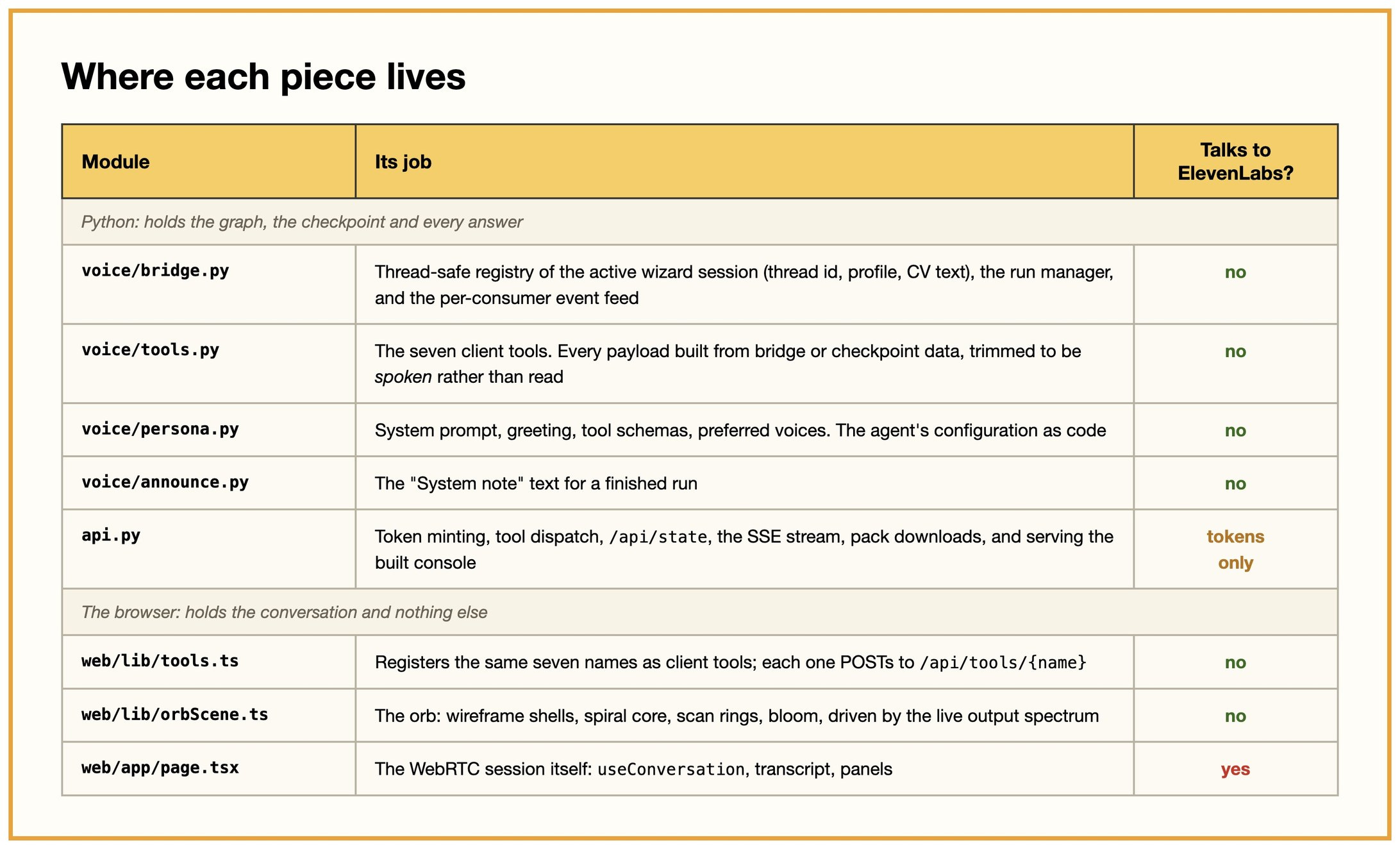
One row says yes. That is the whole thing in a table.
One practical note before you build: both servers run in one process. make app starts the API on a daemon thread and hands the main thread to the wizard. That is a requirement rather than a convenience, because the bridge and the checkpoint are process-wide. Run them separately and you get two sessions with the same name, where the wizard shows you twelve jobs and Jobvis truthfully reports an empty checkpoint.
